Offline Mode: One Switch Cuts All Networking
Tools that need the internet then report themselves unavailable to the model, so it answers from what it has instead of stalling on a request that will never finish.
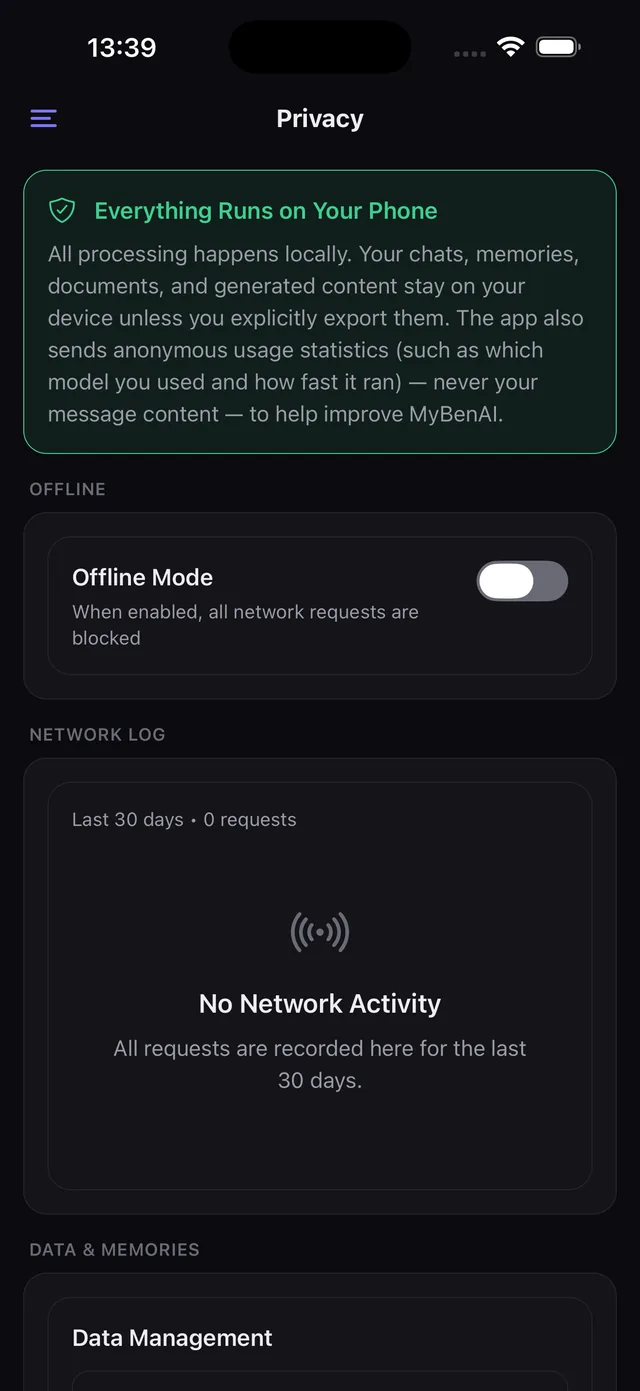
One switch. All networking off. The rest of the app carries on as if nothing happened, because almost none of it needed the network.
What makes it more than a placebo
Two things. First, there is one chokepoint for outbound requests in the app's core, so a single switch genuinely stops all of them rather than most of them. Second — and this is the part that makes it usable rather than merely safe — every tool declares whether it needs the network, and in offline mode those tools report themselves unavailable to the model.
The model is therefore told, before it decides anything, that it cannot search. It answers from what it has. Without that, offline mode would produce an assistant that keeps trying to search and keeps failing, which is a worse experience than being online.
What still works
Effectively everything: chat, voice, vision, image generation, documents, notebooks, memory, personas, search, scheduled jobs and the LAN API server.
What stops
Web search and page reading, deep research, weather, currency and crypto prices, connector calls, model downloads and catalog refreshes, and the anonymous usage statistics.
When to use it
On a plane. Abroad without data. While working through something confidential. Or permanently, if that is the app you wanted — leave it on and the network log will show thirty days of nothing, which you can verify rather than assume.
Looking for something else? Every page on this site.